
Welcome Back
in the previous blog i show you how to establish BGP Neighbourship using direct connection BUT what if the neighbor were not directly connected the solution is (Multihop). By default eBGP uses a TTL of 1 (multihop) increases this TTL value which enable BGP neighbors to be multiple hops apart.
this is my GNS3 Scenario: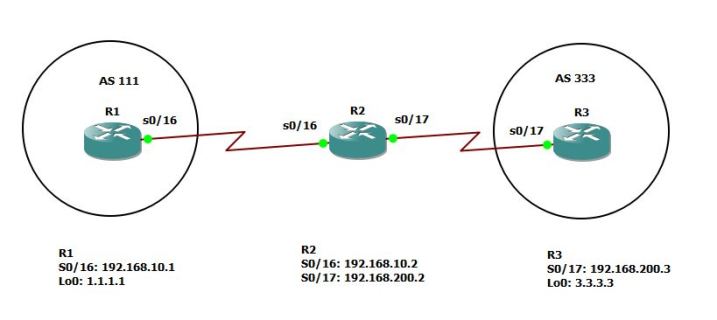
Now this is the configuration on R2 but also in each router i need an [IP Route] to the other Router
Then i will configure the basic BGP neighbourship which i explain in the previous blog

Repeat the steps for R3

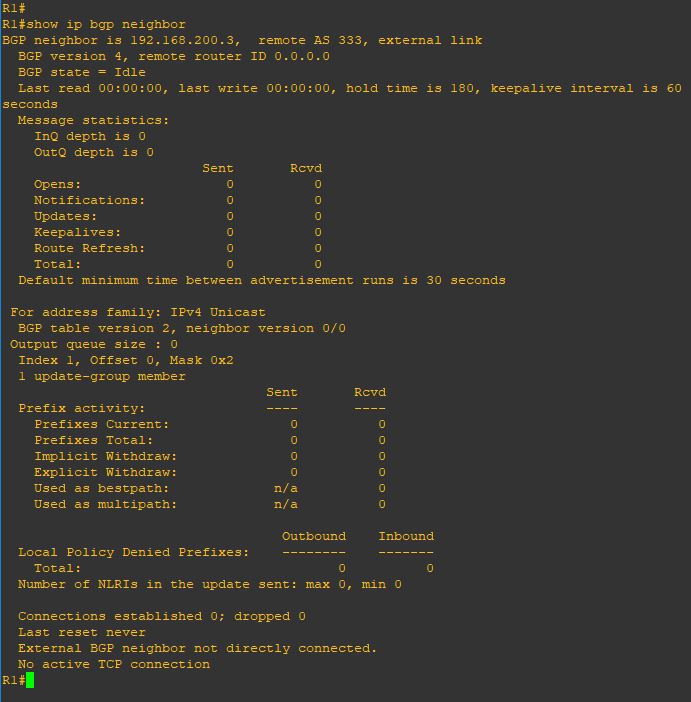
Now when issue the command (show ip bgp summary) you can see the neighbor stuck on status (idle)
to see more detail i will issue the command (show ip bgp neighbor) you see in the last line in the picture it mention (External BGP neighbor not directly connected)
so now let me add the magic touch (ebgb-multihop 2)
2 is the number of the hop
also in the other neighbor 
I add the debug command so i can see the result
and as you can see the neighbor is up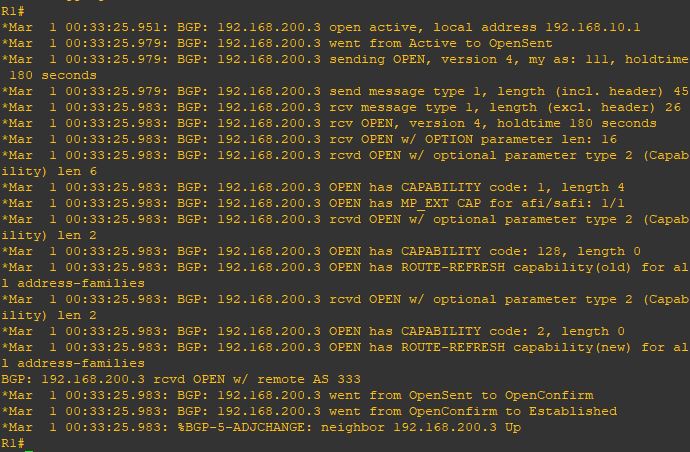
and now as you can see the status change and i receive 1 prefix from my neighbor
and everything is perfect 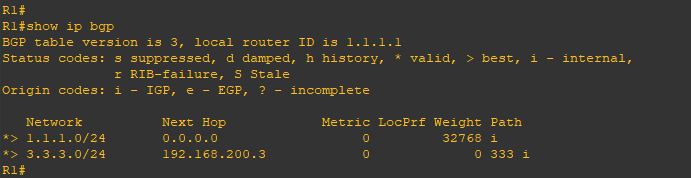
Note:
- By default, eBGP uses a TTL of 1, which means routers must be directly connected only and If a BGP router is more than one hop away, the TTL decreases from 1 to 0, and WAK WAK WAK the packet is discarded.
- in case the connection is direct between eBGP that is TTL of 1 so it will check if neighbor in the same subnet but im using loopback then configure (neighbor x.x.x.x disable-connected-check) on both router
 Root
Root 