
I show you in the previous blog how to establish neighbourship between BGP using the Physicl Interface of the Router but today we will use a different appproach with a technology called {LOOPBACK}.
Using loopback interfaces for BGP neighbors provides stability by ensuring the session stays up even if physical links fail, as loopbacks are always on, but requires an Interior Gateway Protocol (IGP) like OSPF to advertise them and the update-source command to source BGP packets from the loopback.

from the picture above you can see my scenario is an iBGP neighbourship so let’s start
First i configure the IP Addresses on both Routers with making sure an extra step which is Reachability.
The loopback IP address must be reachable via an IGP (OSPF, EIGRP, IS-IS) or static routes.
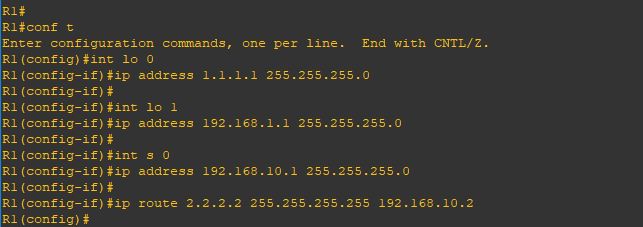
Repeat the same steps on Router 2
Now i will configure basic BGP neighbourship command and sharing my network using the network command
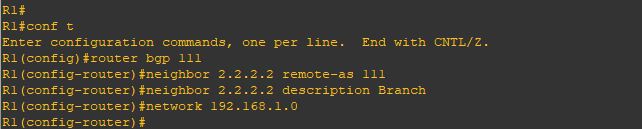
i will repeat the same steps on Router 2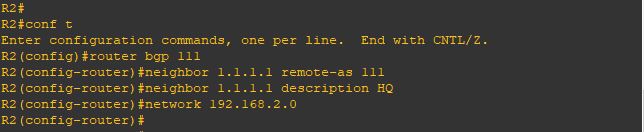
Now we will check the status of our neighborship and ….
oops [ACTIVE]
no one want to see this
BGP Neighborship in the ACTIVE state means the router is actively trying to establish a TCP connection with its peer by initiating the connection on port 179, but the handshake hasn’t completed.
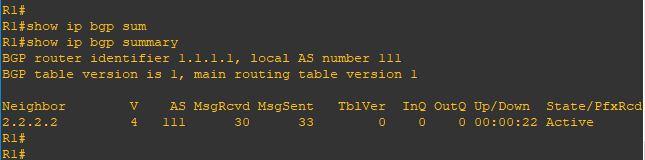
and let me see the detail
you can see in the last line [No active TCP Connection]
we are missing the most important command [update-source loopback 0]
telling the BGP Router to use the loopback interface as the source of conenction

Repeat the same step on Router2
YESSS and the neighbor cames up
And also im receiving a prefix from my neighbor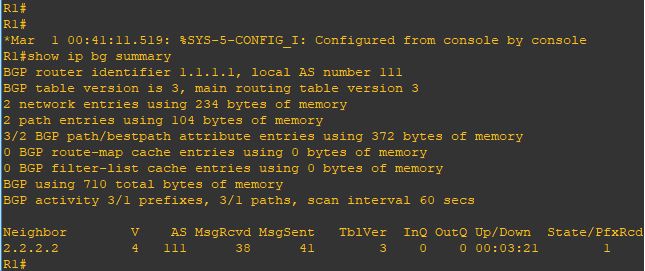
Issue the command [show ip bgp]
i can see the network i received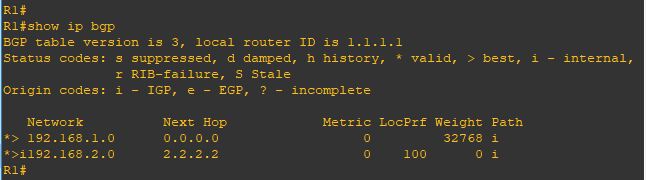
That was the iBGP case
but what if we had an eBGP situation and we are using the loopback
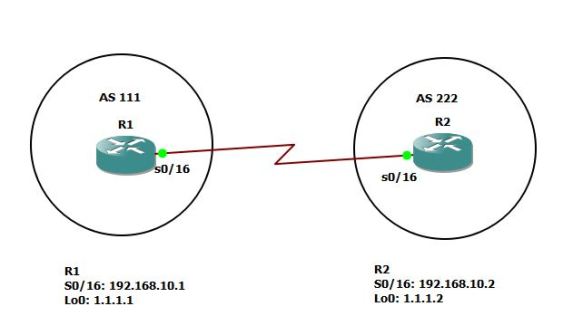
so its different when both router in different AS and the line before the last shows a new error
[External BGP neighbor not directly connected]
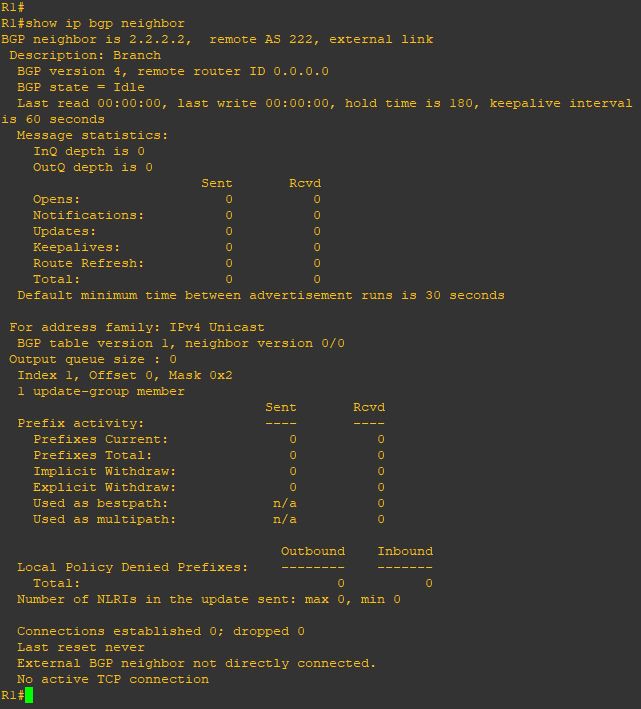
so we need to add a different command
[ebgp-multihop] which increases this TTL value as the default is 1

Repeat the same on Router 2
and YESSS the nighborship cames up
and now im receiving the prefix again
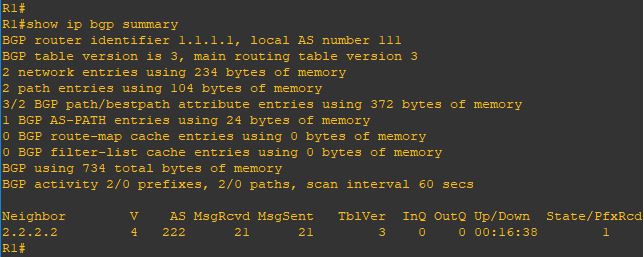
and i can ping my neighbor internal network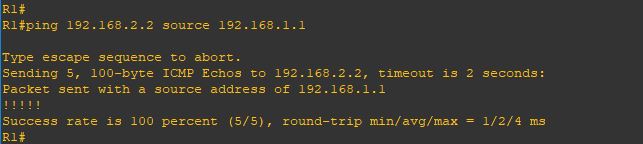
Note:
- By default, eBGP uses a TTL of 1, which means routers must be directly connected. If a BGP router is more than one hop away, the TTL decreases from 1 to 0, and the packet is discarded. The
ebgp-multihopcommand increases this TTL value, enabling BGP neighbors to be multiple hops apart.
 Root
Root 