BGP

BGP Using Loopback

I show you in the previous blog how to establish neighbourship between BGP using the Physicl Interface of the Router but today we will use a different appproach with a technology called {LOOPBACK}.
Using loopback interfaces for BGP neighbors provides stability by ensuring the session stays up even if physical links fail, as loopbacks are always on, but requires an Interior Gateway Protocol (IGP) like OSPF to advertise them and the update-source command to source BGP packets from the loopback.

1
from the picture above you can see my scenario is an iBGP neighbourship so let’s start
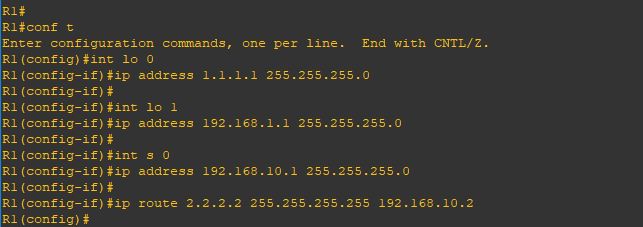
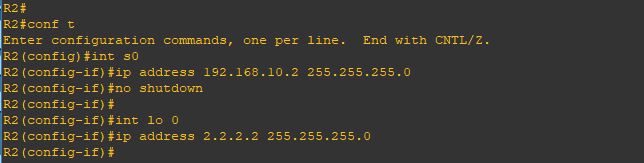
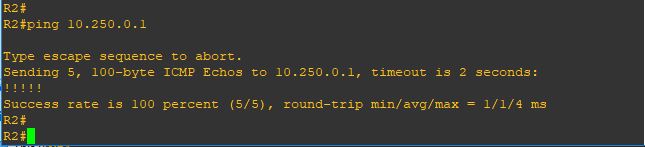
First i configure the IP Addresses on both Routers with making sure an extra step which is Reachability.
The loopback IP address must be reachable via an IGP (OSPF, EIGRP, IS-IS) or static routes.
2
Repeat the same steps on Router 23
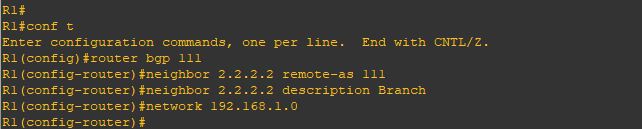
Now i will configure basic BGP neighbourship command and sharing my network using the network command
4
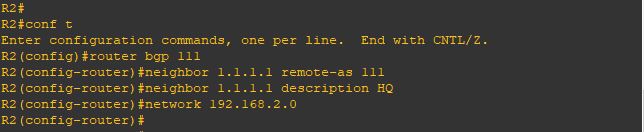
i will repeat the same steps on Router 25
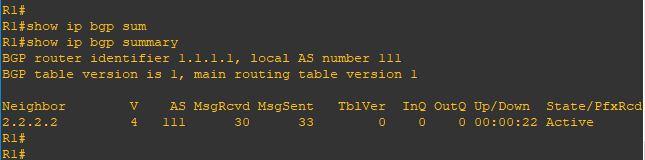
Now we will check the status of our neighborship and ….
oops [ACTIVE]
no one want to see this
BGP Neighborship in the ACTIVE state means the router is actively trying to establish a TCP connection with its peer by initiating the connection on port 179, but the handshake hasn’t completed.
6
and let me see the detail
you can see in the last line [No active TCP Connection]7
we are missing the most important command [update-source loopback 0]
telling the BGP Router to use the loopback interface as the source of conenction
8
Repeat the same step on Router29
YESSS and the neighbor cames up10
And also im receiving a prefix from my neighbor11
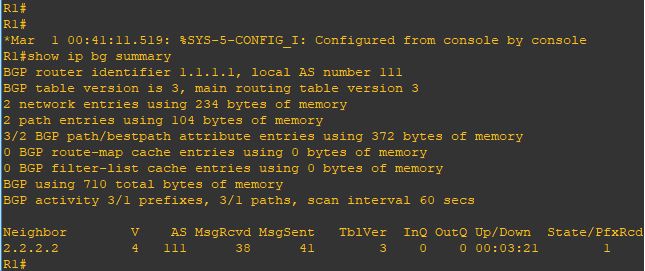
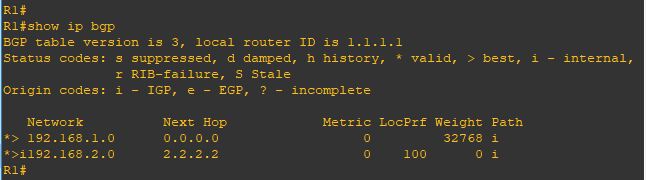
Issue the command [show ip bgp]
i can see the network i received12

That was the iBGP case
but what if we had an eBGP situation and we are using the loopback

1
so its different when both router in different AS and the line before the last shows a new error
[External BGP neighbor not directly connected]
6
so we need to add a different command
[ebgp-multihop] which increases this TTL value as the default is 1
7
Repeat the same on Router 28
and YESSS the nighborship cames up9
and now im receiving the prefix again
10
and i can ping my neighbor internal network11

Note:

  • By default, eBGP uses a TTL of 1, which means routers must be directly connected. If a BGP router is more than one hop away, the TTL decreases from 1 to 0, and the packet is discarded. The ebgp-multihop command increases this TTL value, enabling BGP neighbors to be multiple hops apart.
Standard
BGP

eBGP Multihop

Welcome Back
in the previous blog i show you how to establish BGP Neighbourship using direct connection BUT what if the neighbor were not directly connected the solution is (Multihop). By default eBGP uses a TTL of 1 (multihop) increases this TTL value which enable BGP neighbors to be multiple hops apart.

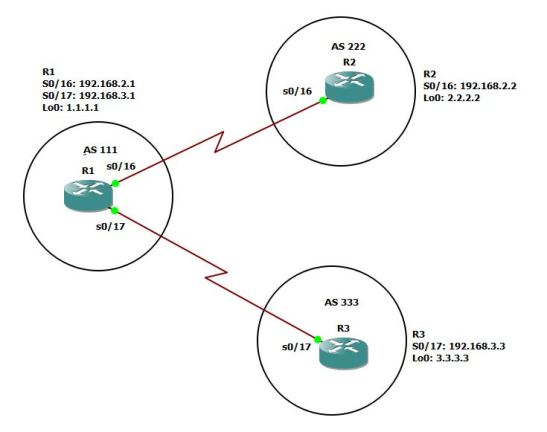
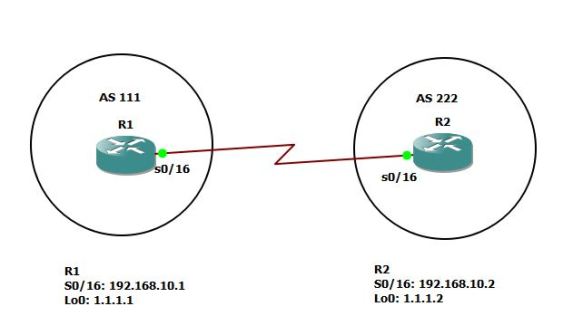
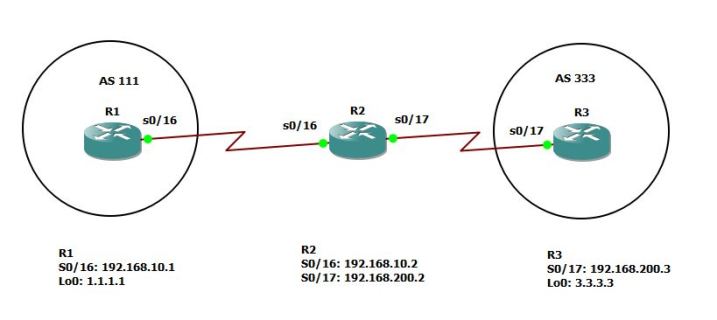
this is my GNS3 Scenario:1
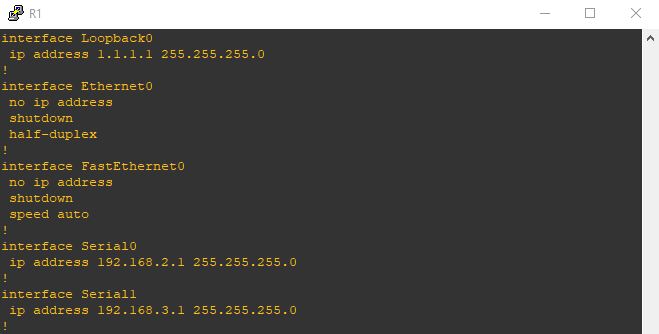
Now this is the configuration on R2 but also in each router i need an [IP Route] to the other Router2
Then i will configure the basic BGP neighbourship which i explain in the previous blog
3
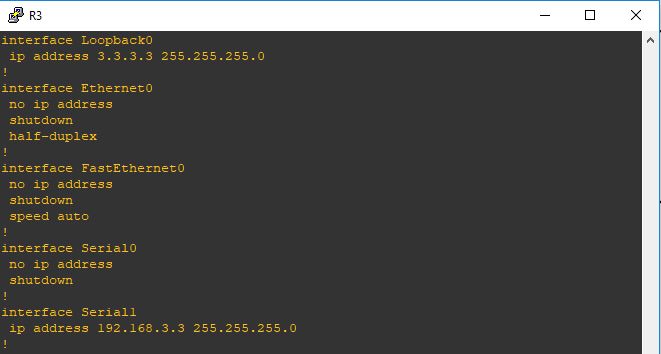
Repeat the steps for R3
4
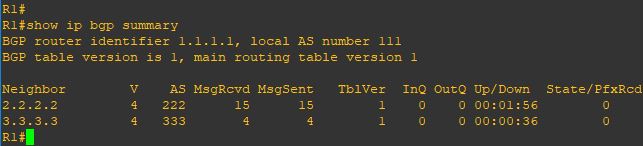
Now when issue the command (show ip bgp summary) you can see the neighbor stuck on status (idle)5
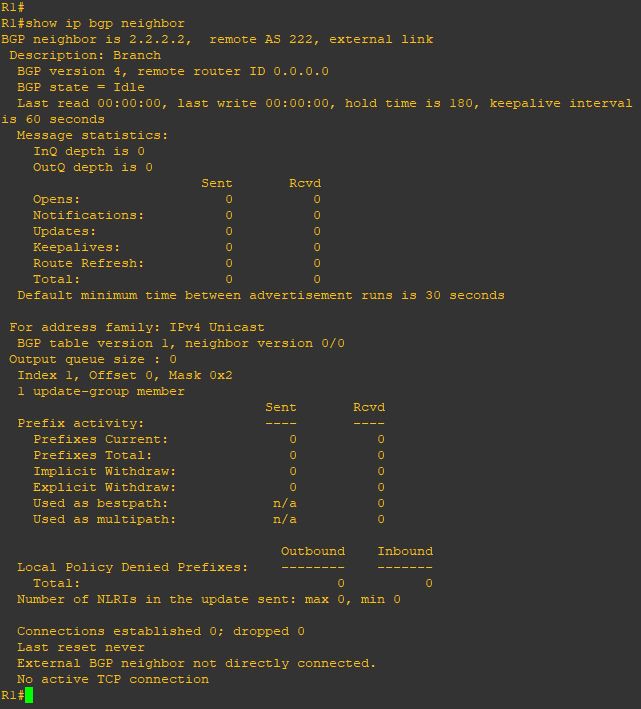
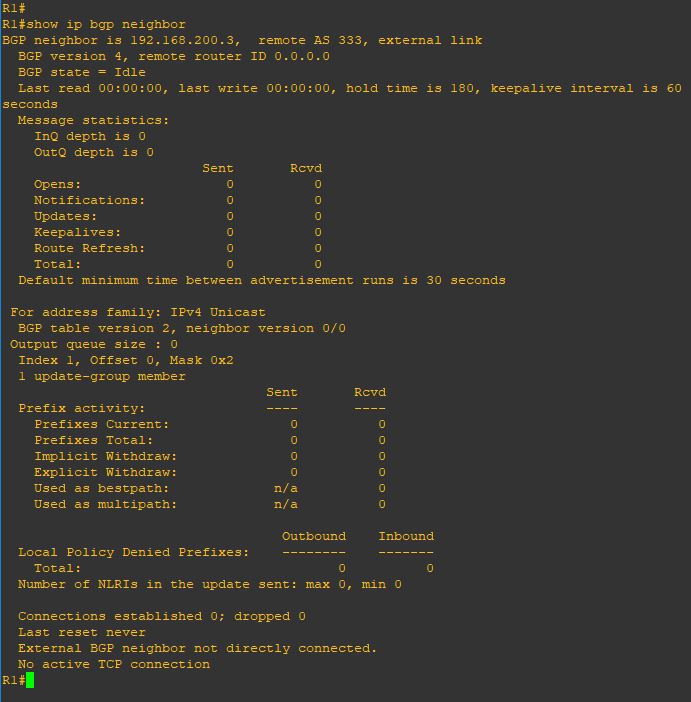
to see more detail i will issue the command (show ip bgp neighbor) you see in the last line in the picture it mention (External BGP neighbor not directly connected)
7
so now let me add the magic touch (ebgb-multihop 2)
2 is the number of the hop8
also in the other neighbor 9
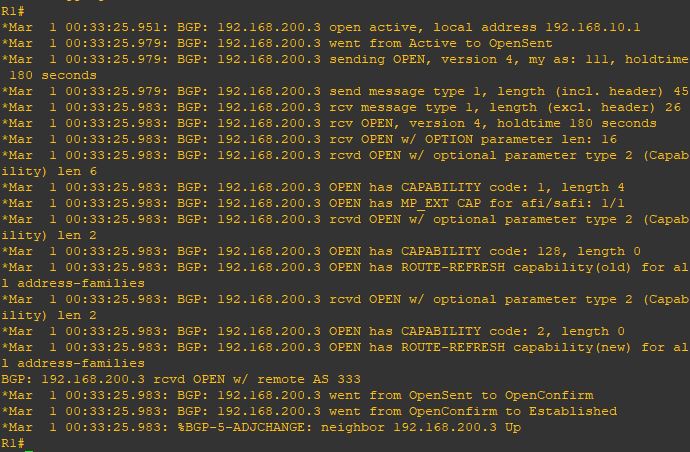
I add the debug command so i can see the result10
and as you can see the neighbor is up11
and now as you can see the status change and i receive 1 prefix from my neighbor12
and everything is perfect 13

Note:

  • By default, eBGP uses a TTL of 1, which means routers must be directly connected only and If a BGP router is more than one hop away, the TTL decreases from 1 to 0, and WAK WAK WAK the packet is discarded.
  • in case the connection is direct between eBGP that is TTL of 1 so it will check if neighbor in the same subnet but im using loopback then configure (neighbor x.x.x.x disable-connected-check) on both router
Standard
BGP

Basic BGP Configuration

The Biggest Routing Protocol in The World
in 2011 i created me and my earlier Manager Wahiduddin [TIKO] a group called [BGP For Life]

and Implemented an over 10 BGP Site and reach to 30 Site in 2 year and i fell in love till VOIP Came and got engaged in it for a while, so i decide to create my BGP blogs.

i will walk you through my BGP Series how to configure BGP in every way i know ;D

We have 65535 number we choose from our AS just like private and public IP addresses:

  • 0 : reserved.
  • 1-64,495 : Public AS numbers.
  • 64,496 – 64,511 : reserved to use in documentation.
  • 64,512 – 65,534 : Private AS numbers use for customer and my LABs.
  • 65,535 : reserved.

So BGP Resume:

  • It use TCP-Based Port 179
  • Triggered Update 5 Second Internally and 30 Second Externally
  • Complicated “Metric” for finding the best route
  • Neighbors Manually Configured
  • BGP Packets (Open, Update, Keepalive & Notification)
  • BGP Status (Idle, Active, Open Sent, Open Confirm & Established)

I will use GNS3 for my Labs so let start by configure basic connectivity between two router

1
i will start by configuring the interface for R1 and loopback 2
Then proceed with R2
3
Now the BGP Neighbor Configuration on R1 by first mention the AS number of R1 (remote-as)
then the first command for our neighbor is by typing their IP Address of Router and their AS number
6
Repeat the same step on R2
7
Finally the neighbor came up8
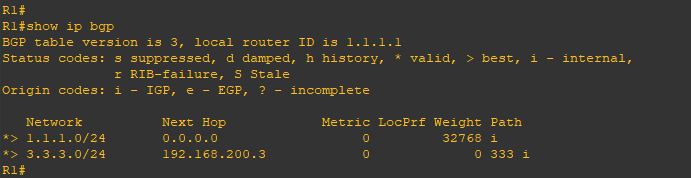
Same in Router 2
9
Now i will Issue the command (show ip bgp summary) which is a quick overview of your Border Gateway Protocol neighbor status, showing neighbor IPs, ASNs, BGP state (Idle, Connect, Established), uptime, and the number of prefixes learned/advertised, helping quickly spot peering issues or route exchange problems
10
repeat the same command on R211
Now i will tells a router to advertise specific IP prefixes to its BGP neighbors by issuing the command

(network x.x.x.x mask x.x.x.x)
12
Repeat the same on R2
13
and now you can see the network that been advertise to you by issuing the command
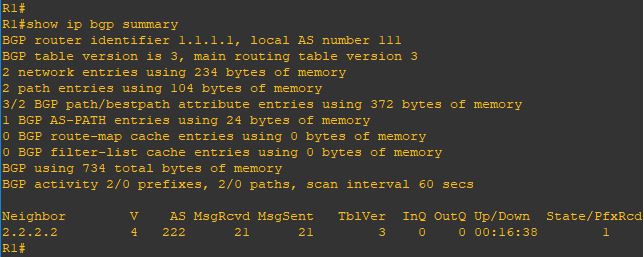
(show ip bgp) and if you look at the local network on my router [1.1.1.0/24] have a weight of (32768)
which is local to me but the other network [2.2.2.0/24] have a path of an AS 222
14
Same on R2
15
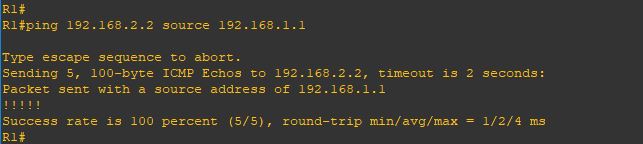
test connectivity using [ping] and it goes very well16
if you look above we advertise the network using (network x.x.x.x mask x.x.x.x) because unlike IGP protocols, it only injects routes that already exist as exact matches (network address and subnet mask) in the router’s local routing table. let me show you

i will configure the new loopback 1 with a /24 mask
20
and advertise it without mentioning the Mask 21
and as you can see it doesn’t show up because the BGP will advertise the default subnet mask for the network (10.0.0.0) which is (/8) and that subnet not available under my network 22
so let’s correct it
23
and Wallaaaaaaa
24
and yup i can ping it
25

Note:

  • IBGP administrative distance of 200 while EBGP is 20
  • When your router learns about a prefix through EBGP and an IGP (RIP, OSPF or EIGRP) then it will always prefer the external BGP route. EBGP uses an administrative distance of 20 so it’s preferred over OSPF (110), RIP (120), or EIGRP (90).

Standard