
Call Center Recording helps organization reliably record and evaluate calls for best training and quality assurance.
Media Sense is a Rich software solution for Cisco IP telephony and Contact Center. It’s provide call recording and live monitoring for Active calls
The Installation is basic just like any Cisco product (CUCM, UCCX …etc)
so i will start by the MediaSense Setup wizard and Requirement
First CUCM Part
create an AXL User I name it mediasense
User Management – Application User
 Second Create a record profile I give it Destination address
and Assign this to the Agent Directory Number Whom you want to Record

now back the phone page & enable the Built in Bridge

Most Important Step is to Create a Transcoder and Assign it to the Device pool
Then Create a SIP Trunk to the MediaSense Server
our MediaSense IP Address is 172.16.245.244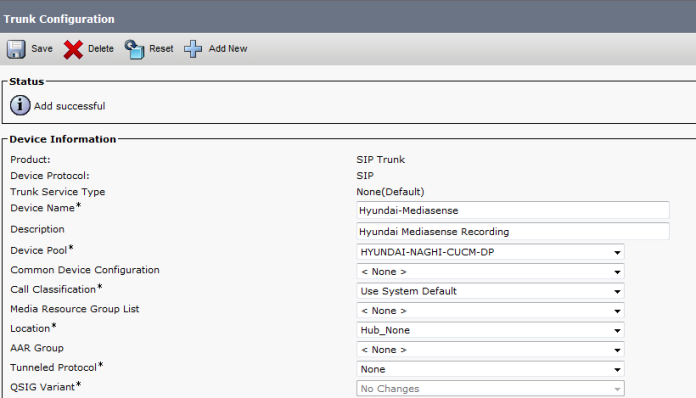
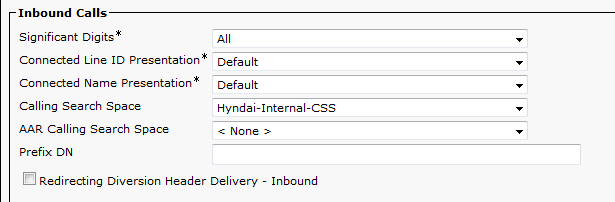

Last create a Route Pattern to the 399 and Gateway is the MediaSense Trunk that you created earlier Now Let’s start from the Media Sense Setup Wizard

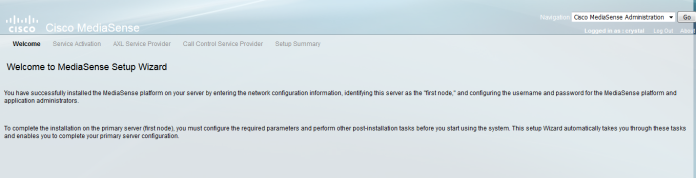

Enter the IP Address of the CUCM and AXL username and Password

Select the CUCM
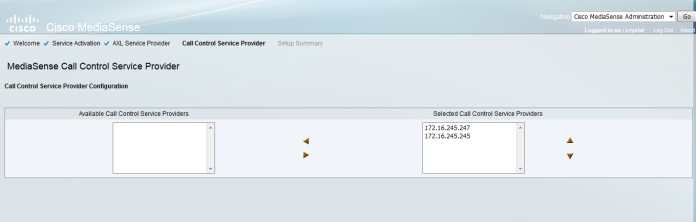

Now you finish and login again

Make sure to select the servers that would work as AXL and Call Control Service Providers 
Select the user That would Listen to the recording
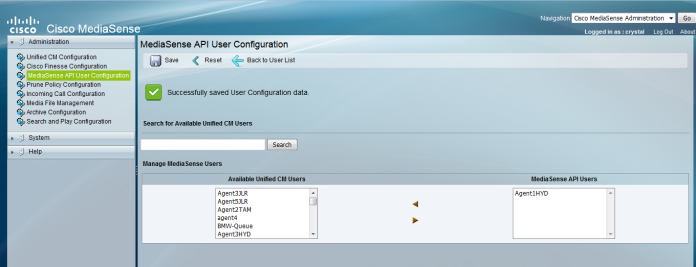
Choose the Prune policy Configuration

Type the Incoming Call rule which is your Destination Address in CUCM 399 and Choose the Action type

Most Important is the Archive were you will save your Recording Media
Now logout and provide your Call Center Supervisor by the link
in our case
https://172.16.245.244:8440/mediasense/login.html

Now as you can see a call been recorded between extension 7156 and 306 under Active Call

Simple and Easy
MediaSense
;D
 Root
Root 